Get into the same Roblox server, decide who drives, and use the driver’s co-driver invitation. The passenger must accept the invitation. For a solo driving session, the recorded setup offers AI Co-driver.
Invitation labels and role choices come from recorded PC gameplay. Roblox joining permissions and the current game interface can vary.
On this page
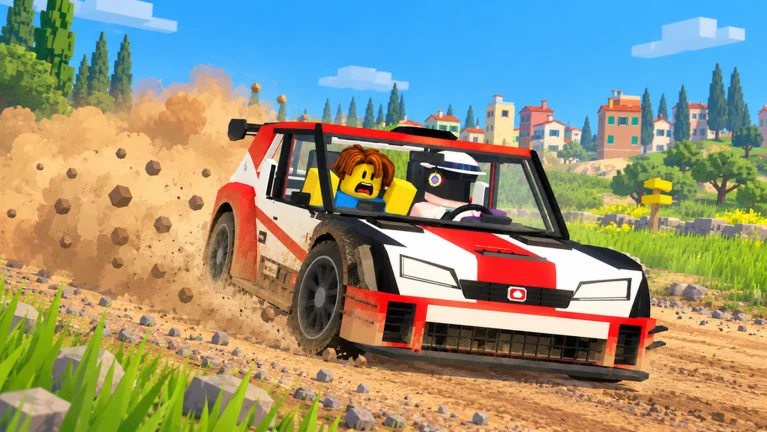
Get a driver and co-driver into one run
- 01
Join the same server.
Open the official game in Roblox and use the platform’s available friend-joining options. If joining is unavailable, review your Roblox account and joining permissions.
- 02
Agree on your roles.
The driver selects Drive to use their car. Co-drive is the role for a passenger who calls the route. Decide who is doing each job before sending invitations.
- 03
Send the co-driver invitation.
At 03:05 in the reviewed footage, the CO-DRIVER panel contains Invite, AI Co-driver and Leave Seat Open, with players in the server shown below. Select your friend using the current panel’s instructions.
- 04
Accept the invitation.
The recording shows the invited player receiving a card with Accept and Decline. Have the intended passenger accept, then check the seat setup before proceeding.
- 05
Follow the current start prompt.
Complete the on-screen setup and wait for the start countdown. A friend appearing in the server list alone does not show that the co-driver invitation has been accepted.
Check the connection in three separate steps
Work through these checks in order. This avoids changing cars or repeatedly pressing the start key when the real problem is still the server or invitation. If someone changes role during setup, pause and agree who is the driver before attempting the invitation again.
| Check | What to look for | If it is missing |
|---|---|---|
| Same server | Your friend appears among the players in the server. | Resolve Roblox joining first; an in-game seat invite cannot fix being in different servers. |
| Invitation delivered | The intended passenger sees the Accept / Decline card. | Confirm which player was selected and ask your friend to check their screen. |
| Seat setup completed | The driver and passenger agree the intended co-driver is selected before starting. | Finish the acceptance/setup step rather than assuming an invite alone completed it. |
Give each seat a clear job
| Role | Focus | Useful habit |
|---|---|---|
| Driver | Control the car and respond to route calls | Leave enough margin to react to an unfamiliar instruction. |
| Co-driver | Communicate the route ahead | Speak early and keep the next instruction short. |
| AI co-driver | Provide route calls for a driving session | Keep driving yourself; the AI is not an autopilot. |
A simple communication exercise
Agree on plain language before starting. For example: “Left coming up. Slow down. Right after it.” These are original practice examples, not a transcript of the game’s calls or an official pace-note system. Keep the timing consistent, and discuss missed calls after the attempt rather than during the next corner.
Learn the passenger’s call buttons
The recorded PC settings give the co-driver 1/2/3 for hard left/left/slight left, 4/5/6 for slight right/right/hard right, C for jump and Space for danger. These are co-driver bindings: pressing Space in the driver’s seat operates the handbrake instead. Review your seat and the controls screen before treating an unexpected result as a broken button.
Practise the vocabulary while parked or before the attempt.
As a communication exercise, say the direction you intend to call, then identify its button. The aim is to avoid working out which side of the keyboard means right while the driver is already approaching a corner.
Keep corrections brief.
If you call the wrong direction during a voice-chat practice session, correct it plainly and then let the driver concentrate. A long explanation can make the next instruction harder to hear. This is teamwork advice, not an additional game mechanic.
Use AI and a friend for different practice goals
- 01
Use AI to isolate driving practice.
Choose AI Co-driver when you want to repeat a stage without organising another player. Keep the same car and stage while learning the calls. You still control speed and steering; choosing AI does not make the vehicle drive itself.
- 02
Use a friend to practise timing.
For a two-person practice session, agree to prioritise an early, understandable call over a fast finish. After one attempt, ask whether the driver heard the instruction with time to react. Change the timing of the call before changing several driving habits.
- 03
Swap jobs after an attempt.
As an optional exercise, take turns being the driver and co-driver. Follow the normal role and invitation setup again, rather than assuming a hot-swap feature. Experiencing both jobs helps you explain which calls were useful.
- 04
Debrief one moment.
Choose one missed call or corner and describe what each person noticed. Keep the next attempt’s goal small: clearer direction, earlier warning or a calmer approach. You do not need a perfect run to learn which part of the teamwork needs attention.
If your friend cannot join the seat
Your friend is missing from the server list.
First confirm that you are in the same server. Recheck Roblox joining permissions if the platform will not let you join each other.
You sent an invite but nothing changed.
Ask the passenger to look for the Accept / Decline card. Check the current seat setup after acceptance before trying to start.
You want to practise alone.
Select AI Co-driver in the recorded co-driver setup. You remain responsible for steering and speed.
The interface differs from the footage.
Use the labels in your current client as the final reference. This guide’s source is a dated recording, not a guarantee that every screen is unchanged.
Sources & verification
Sources reviewed . A recorded interface is evidence of that version, not a claim of a live playtest.
- OfficialBackseat Rally on Roblox
Official experience page by No crash plez. Used for the cooperative premise, AI co-driver support and the environments described by the developer. A description is not a complete vehicle or stage database.
- Gameplay videoCHALLS — Backseat Rally gameplay, October 20, 2026
Reviewed recorded PC gameplay, including menu, garage, co-driver, tutorial and driving HUD footage. This is a review of a recording, not a claim that this site tested the current Roblox client. Interfaces can change.
- Gameplay videoItzVexo — recorded keyboard controls (10:00)
Reviewed Settings → Controls → Keyboard at 10:00. Bindings are observations from a recording, not a live-client test. Also checked the Pine Forest start panel at 01:16.